
20 Modern JavaScript Tricks for Cleaner Everyday Code
Practical patterns for arrays, objects, strings, and regular expressions

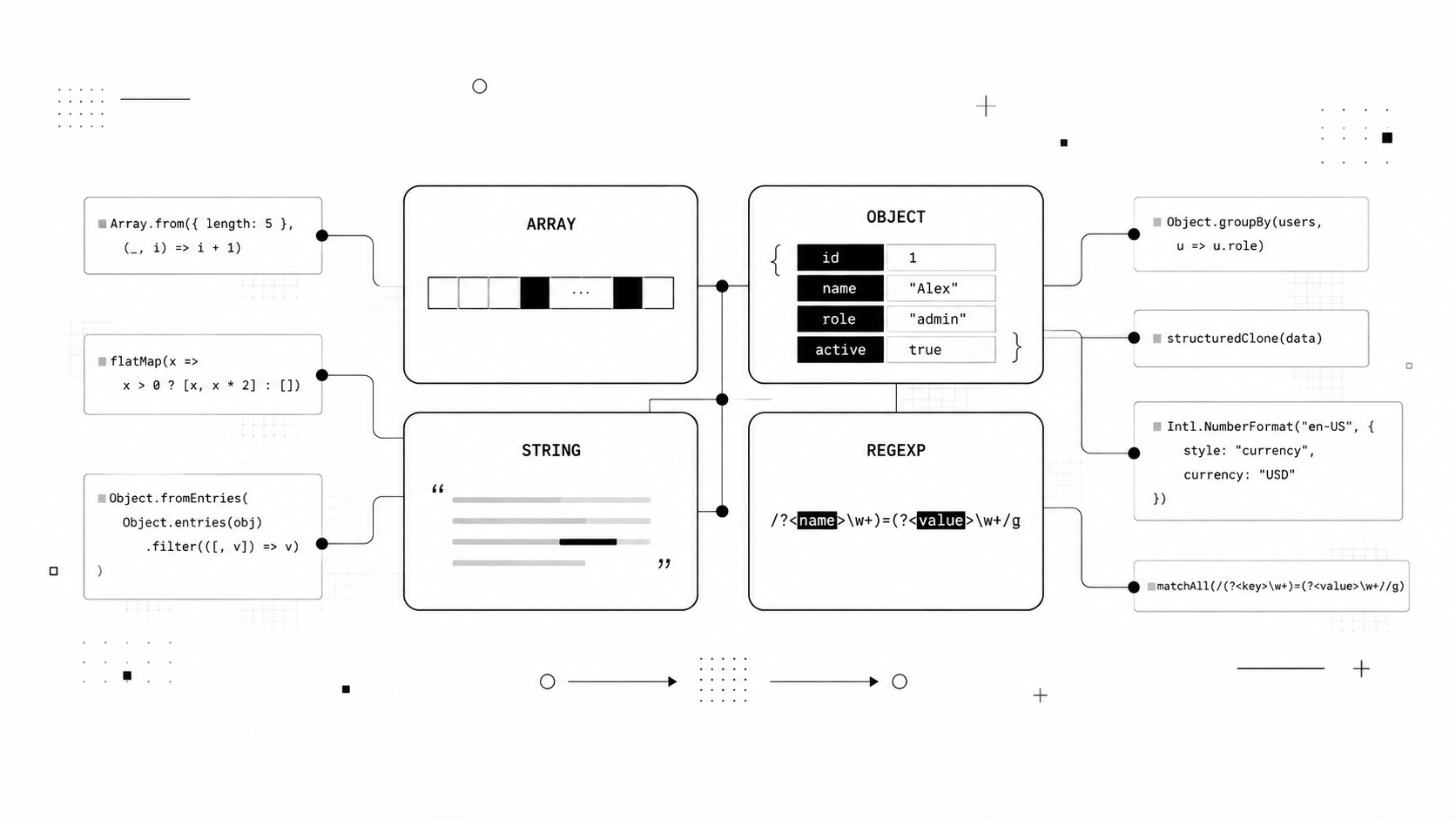
Modern JavaScript has a surprisingly large number of built-in APIs that can replace utility functions, verbose loops, and clever-looking one-liners.
This is the second article in my JavaScript tricks series. If you missed the first one, start here:
10 Modern JavaScript Tricks That Cut Boilerplate
The first article focused on reducing repetitive code. This time, we are going deeper into four things we work with almost every day: arrays, objects, strings, and regular expressions.
Some of these techniques are simple. Others are APIs you may have seen before but never found a good reason to use.
The goal is not to make JavaScript shorter at any cost. It is to make common transformations easier to read, harder to break, and simpler to maintain.
Let’s start with arrays.
Arrays
1. Use Array.from() for More Than Conversions
Most developers first meet Array.from() as a way to turn an iterable or array-like value into a real array.
const elements = Array.from(
  document.querySelectorAll(".card")
);
That is useful, but Array.from() can also generate arrays.
const indexes = Array.from(
  { length: 5 },
  (_, index) => index
);

console.log(indexes);
// [0, 1, 2, 3, 4]
You can generate more useful sequences just as easily.
const pageNumbers = Array.from(
  { length: 5 },
  (_, index) => index + 1
);

console.log(pageNumbers);
// [1, 2, 3, 4, 5]
It also accepts a mapping function, which means you can create and transform the values in one operation.
const squares = Array.from(
  { length: 5 },
  (_, index) => index ** 2
);

console.log(squares);
// [0, 1, 4, 9, 16]
You will sometimes see Array.from() used with Set for deduplication:
const unique = Array.from(
  new Set([1, 2, 2, 3, 3])
);
For that particular case, however, spread syntax is usually easier to scan:
const unique = [...new Set([1, 2, 2, 3, 3])];Use Array.from() when conversion and mapping naturally belong together. Do not use it merely because it makes the code look more advanced.
2. Use reduce() When You Are Actually Accumulating
reduce() is one of the most powerful array methods in JavaScript.
It is also one of the easiest to overuse.
A good use case is building an object from an array.
const tags = ["react", "css", "react", "javascript"];

const counts = tags.reduce((result, tag) => {
  result[tag] = (result[tag] ?? 0) + 1;
  return result;
}, {});

console.log(counts);
Result:
{
  react: 2,
  css: 1,
  javascript: 1
}
Grouping is another reasonable use case when Object.groupBy() is not appropriate or available.
const users = [
  { name: "Alex", role: "admin" },
  { name: "Sam", role: "user" },
  { name: "Mia", role: "admin" }
];

const usersByRole = users.reduce((groups, user) => {
  (groups[user.role] ??= []).push(user);
  return groups;
}, {});
The mistake is treating reduce() as the universal array method.
This:
const doubled = numbers.reduce((result, number) => {
  result.push(number * 2);
  return result;
}, []);
works, but this communicates the intention much better:
const doubled = numbers.map(
  number => number * 2
);
Use map() for mapping, filter() for filtering, some() for testing, and reduce() when you genuinely need an accumulator.
3. Deduplicate Objects by a Property
Set is excellent for primitive values.
const values = [1, 2, 2, 3];

const unique = [...new Set(values)];

console.log(unique);
// [1, 2, 3]
Objects behave differently because equality is based on references.
const users = [
  { id: 1, name: "Alex" },
  { id: 2, name: "Sam" },
  { id: 1, name: "Alexander" }
];
If you want the last object for every id, a Map gives you a clean solution.
const uniqueUsers = [
  ...new Map(
    users.map(user => [user.id, user])
  ).values()
];
Result:
[
  { id: 1, name: "Alexander" },
  { id: 2, name: "Sam" }
]
Each id becomes a key. When the same key appears again, its previous value is replaced.
If you want to preserve the first occurrence instead, make that rule explicit:
const byId = new Map();

for (const user of users) {
  if (!byId.has(user.id)) {
    byId.set(user.id, user);
  }
}

const uniqueUsers = [...byId.values()];
A few extra lines are worth it when they make the intended behavior obvious.
4. Replace map() + flat() with flatMap()
Suppose every item produces multiple values.
You could write:
const numbers = [1, 2, 3];

const result = numbers
  .map(number => [number, number * 2])
  .flat();

console.log(result);
// [1, 2, 2, 4, 3, 6]
But JavaScript has a method specifically for this pattern.
const result = numbers.flatMap(
  number => [number, number * 2]
);
flatMap() maps each element and flattens the result by one level.
It becomes particularly useful when one input can produce zero, one, or several outputs.
const words = ["JavaScript", "", "React"];

const normalized = words.flatMap(word => {
  const value = word.trim();

  return value ? [value.toLowerCase()] : [];
});

console.log(normalized);
// ["javascript", "react"]
This lets a single transformation remove unwanted values and normalize the remaining ones.
5. Group Data with Object.groupBy()
Grouping data used to almost automatically mean writing a reduce().
Modern JavaScript gives us a more direct option.
const users = [
  { name: "Alex", role: "admin" },
  { name: "Sam", role: "user" },
  { name: "Mia", role: "admin" }
];

const groups = Object.groupBy(
  users,
  user => user.role
);

console.log(groups.admin);
Now the intention is immediately visible: group users by role.
There is also Map.groupBy().
const groups = Map.groupBy(
  users,
  user => user.role
);
Why have both?
Object.groupBy() is convenient when your grouping keys naturally work as property keys.
Map.groupBy() is more useful when the keys themselves are objects or other values where Map semantics make more sense.
Before introducing either into a library that targets older environments, check your compatibility requirements.
For modern applications, they can remove a surprising amount of grouping boilerplate.
Objects
Arrays get most of the attention in JavaScript tips, but object syntax has evolved just as much.
Several small features can eliminate entire chains of defensive checks.
6. Destructure Without Making the Code Fragile
Basic destructuring is familiar:
const { name, email } = user;Renaming is equally useful.
const {
  name: userName
} = user;
You can also combine nested destructuring with defaults.
const {
  profile: {
    avatar = "/default-avatar.png"
  } = {}
} = user;
The = {} matters.
Without it, this can fail when profile is missing:
const {
  profile: { avatar }
} = user;
For deeply nested optional data, though, destructuring can quickly become harder to read than the original object.
In those cases, optional chaining is often clearer:
const avatar =
  user.profile?.avatar ?? "/default-avatar.png";
Destructuring is a tool, not a challenge to see how much syntax you can fit into one statement.
7. Remember That Spread Creates a Shallow Copy
This looks like a copy:
const original = {
  name: "Alex",
  settings: {
    theme: "dark"
  }
};

const copy = { ...original };
At the top level, it is.
Nested objects are still shared.
copy.settings.theme = "light";

console.log(original.settings.theme);
// "light"
Both objects point to the same settings object.
When you need to clone compatible structured data, structuredClone() is usually a better choice.
const copy = structuredClone(original);

copy.settings.theme = "light";

console.log(original.settings.theme);
// "dark"
Do not replace this with the old JSON trick unless you specifically understand its limitations.
JSON.parse(JSON.stringify(value));That approach does not preserve many JavaScript data types correctly.
structuredClone() was designed for this job.
8. Transform Objects with entries() and fromEntries()
Objects do not have methods like .map() and .filter().
But their entries do.
Suppose you want to remove properties with empty values.
const params = {
  query: "javascript",
  page: 2,
  category: "",
  debug: false
};
Convert the object into entries:
const entries = Object.entries(params);Filter them:
const filteredEntries = entries.filter(
  ([, value]) => value !== ""
);
Then turn them back into an object:
const filtered = Object.fromEntries(
  filteredEntries
);
In real code, this is often written as one transformation:
const filtered = Object.fromEntries(
  Object.entries(params).filter(
    ([, value]) => value !== ""
  )
);
You can use the same pattern to transform values.
const normalized = Object.fromEntries(
  Object.entries(settings).map(
    ([key, value]) => [
      key,
      typeof value === "string"
        ? value.trim()
        : value
    ]
  )
);
Think of Object.entries() and Object.fromEntries() as a bridge between object operations and array operations.
9. Combine Optional Chaining with Nullish Coalescing
This pattern used to require defensive checks:
const city =
  user &&
  user.profile &&
  user.profile.address &&
  user.profile.address.city;
Modern JavaScript makes the intention much clearer.
const city =
  user?.profile?.address?.city ?? "Unknown";
Optional chaining stops when a value is null or undefined.
Nullish coalescing provides a fallback only for those two values.
That distinction is important.
const count = 0;

console.log(count || 10);
// 10

console.log(count ?? 10);
// 0
The same applies to empty strings and false.
Use || when any falsy value should trigger the fallback. Use ?? when only missing values should.
10. Know What Object.freeze() Actually Freezes
JavaScript provides several ways to restrict an object.
Object.preventExtensions(object);
Object.seal(object);
Object.freeze(object);
Their behavior is different.
preventExtensions() prevents new properties from being added.
seal() also prevents existing properties from being removed.
freeze() additionally prevents existing data properties from being reassigned.
const config = Object.freeze({
  apiUrl: "/api"
});

config.apiUrl = "/other-api";
In strict mode, attempting that assignment throws an error.
There is another catch.
Object.freeze() is shallow.
const config = Object.freeze({
  options: {
    cache: true
  }
});

config.options.cache = false;

console.log(config.options.cache);
// false
If you need deep immutability, freezing the root object alone is not enough.
Strings
String manipulation is another area where developers often reinvent functionality already available in the language or internationalization APIs.
11. Use Tagged Templates for Controlled Interpolation
Template literals are already useful for multiline strings and interpolation.
const message = `
  Hello ${user.name},
  your order is ready.
`;
Less commonly used are tagged templates.
A tag is simply a function that receives the static pieces and interpolated values separately.
function debug(strings, ...values) {
  return strings.reduce((output, part, index) => {
    const value =
      index < values.length
        ? JSON.stringify(values[index])
        : "";

    return output + part + value;
  }, "");
}

const userId = 42;

console.log(
  debug`Loading user ${userId}`
);
Tagged templates power APIs in areas such as styling, localization, query construction, and DSLs.
One warning matters here: do not assume that using a tag automatically makes HTML or SQL safe.
Security depends entirely on what the tag implementation does with interpolated values.
12. Give replace() a Function
String.prototype.replace() becomes much more powerful when its replacement is a callback.
Consider a simple name transformation.
const name = "Ada Lovelace";

const reversed = name.replace(
  /(?<first>\w+)\s+(?<last>\w+)/,
  (...args) => {
    const groups = args.at(-1);
    return `${groups.last}, ${groups.first}`;
  }
);

console.log(reversed);
// "Lovelace, Ada"
For simpler expressions, ordinary capture parameters may be more readable.
const result = "Hello World".replace(
  /(\w+)\s+(\w+)/,
  (_, first, second) => `${second} ${first}`
);

console.log(result);
// "World Hello"
Callbacks become especially valuable when the replacement depends on calculations or external data.
const text = "Items: 2, price: 15";

const doubled = text.replace(
  /\d+/g,
  match => String(Number(match) * 2)
);

console.log(doubled);
// "Items: 4, price: 30"
Once replacement logic becomes dynamic, a function is usually easier to maintain than a dense replacement string.
13. Stop Formatting Numbers by Hand
Displaying numbers correctly is more complicated than inserting commas every three digits.
Different locales use different separators, currency positions, spacing rules, and decimal conventions.
JavaScript already handles this with Intl.NumberFormat.
const usd = new Intl.NumberFormat("en-US", {
  style: "currency",
  currency: "USD"
});

console.log(usd.format(1234.5));
// "$1,234.50"
Change the locale and currency:
const eur = new Intl.NumberFormat("de-DE", {
  style: "currency",
  currency: "EUR"
});

console.log(eur.format(1234.5));
// "1.234,50 €"
It is also useful for percentages.
const percent = new Intl.NumberFormat("en-US", {
  style: "percent",
  maximumFractionDigits: 1
});

console.log(percent.format(0.856));
// "85.6%"
If you repeatedly format values, create the formatter once and reuse it rather than rebuilding it for every value.
14. Treat Time Zones as Part of Date Formatting
Dates are easy until your users stop living in the same time zone as your server.
Intl.DateTimeFormat lets you make the intended zone explicit.
const formatter = new Intl.DateTimeFormat("en-US", {
  dateStyle: "medium",
  timeStyle: "short",
  timeZone: "America/New_York"
});

console.log(
  formatter.format(
    new Date("2026-07-14T20:00:00Z")
  )
);
Or display the same instant in another zone:
const tokyoFormatter = new Intl.DateTimeFormat(
  "en-US",
  {
    dateStyle: "medium",
    timeStyle: "short",
    timeZone: "Asia/Tokyo"
  }
);
This is an important mental model:
A timestamp represents an instant.
Formatting determines how that instant is presented to a user.
Keeping those responsibilities separate avoids many date bugs.
15. Use String.raw When Escaping Gets in the Way
String.raw gives you access to the raw form of a template literal.
const path = String.raw`C:\Users\Alex\Documents`;

console.log(path);
It is particularly convenient when writing text containing many backslashes.
Regular expressions are another example:
const source = String.raw`\d+\.\d+`;

const pattern = new RegExp(source);

console.log(pattern.test("Version 12.5"));
// true
It is not a replacement for ordinary template literals. It is a specialized tool for cases where escape sequences would otherwise make a string harder to read.
Regular Expressions
Regular expressions can make code dramatically shorter.
They can also turn a perfectly readable function into a puzzle.
The following features are useful because they often make regex-based code clearer rather than merely shorter.
16. Prefer Named Capture Groups for Structured Data
Consider extracting parts of a date.
const match = "2026-07-14".match(
  /(\d{4})-(\d{2})-(\d{2})/
);

const year = match[1];
const month = match[2];
const day = match[3];
This works, but the indexes have no meaning on their own.
Named groups document the structure directly in the expression.
const match = "2026-07-14".match(
  /(?<year>\d{4})-(?<month>\d{2})-(?<day>\d{2})/
);

if (match) {
  const { year, month, day } = match.groups;

  console.log({ year, month, day });
}
Now someone reading the extraction code does not have to count parentheses to understand what match[2] represents.
Named groups are particularly helpful when the regex is responsible for parsing structured values.
17. Use Lookarounds for Context Without Consuming It
Sometimes you need to match a value only when something appears before or after it.
A lookahead checks what follows.
const text = "10px 20rem 30px";

const values = text.match(
  /\d+(?=px)/g
);

console.log(values);
// ["10", "30"]
The px characters are required for the match, but they are not included in the result.
A lookbehind checks what comes before.
const prices = "$100 €200";

const values = prices.match(
  /(?<=[$€])\d+/g
);

console.log(values);
// ["100", "200"]
Lookarounds are useful when context determines whether something should match, but that context should not become part of the extracted value.
Do not use them just to make a regex shorter. Readability still matters more than cleverness.
18. Use matchAll() When You Need Every Match and Its Groups
A classic global regex loop looks like this:
const regex = /(\w+)=(\w+)/g;
let match;

while ((match = regex.exec(input)) !== null) {
  console.log(match[1], match[2]);
}
matchAll() provides a cleaner iterable interface.
const input = "theme=dark&lang=en";

const matches = input.matchAll(
  /(?<key>\w+)=(?<value>\w+)/g
);

for (const match of matches) {
  console.log(
    match.groups.key,
    match.groups.value
  );
}
You can convert the iterator into an array when necessary.
const matches = [
  ...input.matchAll(
    /(?<key>\w+)=(?<value>\w+)/g
  )
];
Remember that the regular expression passed to matchAll() needs the global g flag.
For simple existence checks, use test().
For one match, use match().
When you need all matches plus their groups and positions, matchAll() is often the cleanest choice.
19. Know the Useful Replacement Patterns
Replacement strings support several special patterns.
The most common one is $&, which represents the entire match.
const result = "JavaScript".replace(
  /Script/,
  "[$&]"
);

console.log(result);
// "Java[Script]"
Capture groups can be referenced with $1, $2, and so on.
const date = "2026-07-14";

const formatted = date.replace(
  /(\d{4})-(\d{2})-(\d{2})/,
  "$3/$2/$1"
);

console.log(formatted);
// "14/07/2026"
Named capture groups make the same replacement more self-documenting.
const formatted = date.replace(
  /(?<year>\d{4})-(?<month>\d{2})-(?<day>\d{2})/,
  "$<day>/$<month>/$<year>"
);
For straightforward transformations, replacement patterns are concise and readable.
When logic enters the picture, switch to a callback instead of trying to build an increasingly cryptic replacement string.
20. Treat Complex Regex as Potentially Expensive Code
Regular expressions are not automatically fast.
Certain patterns can trigger catastrophic backtracking and consume enormous amounts of CPU time on carefully chosen input.
A classic dangerous shape looks like this:
const unsafe = /^(\w+)*$/;

unsafe.test(
  "a".repeat(30) + "!"
);
Nested quantifiers and overlapping alternatives deserve particular attention.
This matters even more when the input comes from users.
A vulnerable regex inside a Node.js request handler can block the event loop long enough to become a denial-of-service problem.
Keep validation expressions as deterministic as possible. Test complex patterns against long failing inputs, not just valid examples.
Also ask whether regex is even the right parser.
For URLs, HTML, JSON, query strings, and other structured formats, dedicated parsers are usually safer and easier to maintain.
The Bigger Pattern
The most useful lesson in these 20 techniques is not any individual method.
It is that modern JavaScript already contains solutions for many transformations we still write manually.
Instead of building another grouping helper, check Object.groupBy().
Instead of cloning data through JSON serialization, consider structuredClone().
Instead of manually inserting currency separators, use Intl.NumberFormat.
Instead of writing defensive chains of property checks, combine optional chaining with nullish coalescing.
And instead of forcing every array transformation through reduce(), use the method that describes what the code actually does.
Shorter code is not automatically better code.
The best modern JavaScript tends to be explicit about its intention while delegating boring implementation details to well-tested platform APIs.
Final Thought
JavaScript has accumulated a lot of syntax over the years, but the useful part of modern JavaScript is not about memorizing every new feature.
It is about recognizing when the platform can do a routine job better than another custom helper.
Pick a few of these patterns and start noticing where they can replace code in your existing projects. That is usually more valuable than trying to memorize all twenty at once.
And if you missed Part 1, read it next: